Tensogram
Firecube uses Tensogram to package
finished Zarr products as single .tgm files for transfer, download, archival
cold storage, and later restore back to Zarr.
Zarr remains the normal cube layout for ingestion and analysis. The .tgm file
is the package Firecube creates from an existing Zarr product.
For the commands, see Archive Operations.
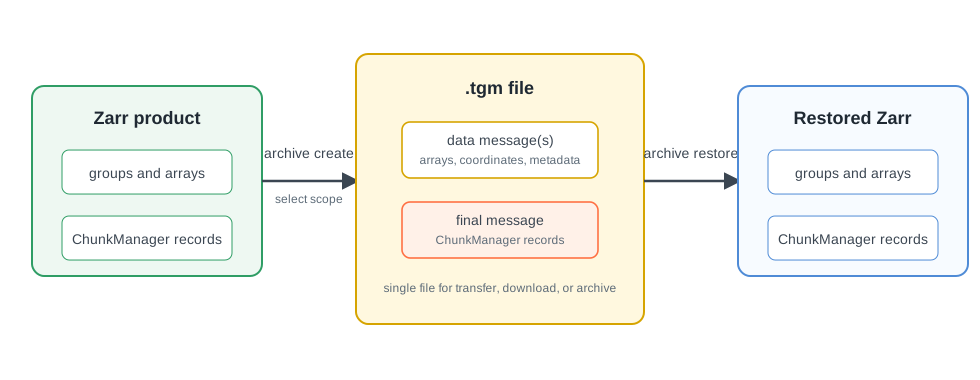
.tgm messages and stores ChunkManager records as the final message, so restore keeps the cube lifecycle inspectable.When To Use It
- Move a finished Zarr product or create archival cold storage:
firecube archive createpackages the product as one.tgmfile. - Share part of a multi-group product: pass
--groupto package one Zarr group. - Download or transfer a smaller time slice: pass
--start-dateand--end-date. - Package only the variables the recipient needs: pass
--variables. - Restore the package for normal cube access:
firecube archive restorerecreates a Zarr product.
What To Know
- Install the Tensogram extra before using archive commands:
uv pip install 'firecube[tensogram]'. firecube archive info,list, andvalidateinspect.tgmfiles without changing the product.- For Firecube-generated Zarr products, ChunkManager records are packaged and restored with the data, so restored products can be inspected with ChunkManager operations.
Open With Xarray
Consumers with tensogram-xarray installed can open .tgm files through
Xarray:
Next Steps
- Archive Operations — create, inspect, validate, or restore
.tgmfiles - Create Archives — package a finished Zarr product as Tensogram
- Inspect And Validate Archives — inspect or validate
.tgmcontents - Restore Archives — restore a Tensogram file back to Zarr
- Zarr — understand the normal cube layout