Tensogram
Firecube uses Tensogram to represent Zarr
data as a single .tgm file. The file is useful when a chunked Zarr product
needs to be transferred, downloaded, or kept in archival storage.
Zarr remains the normal cube layout for ingestion and analysis. The .tgm file
is the package Firecube creates from an existing Zarr product.
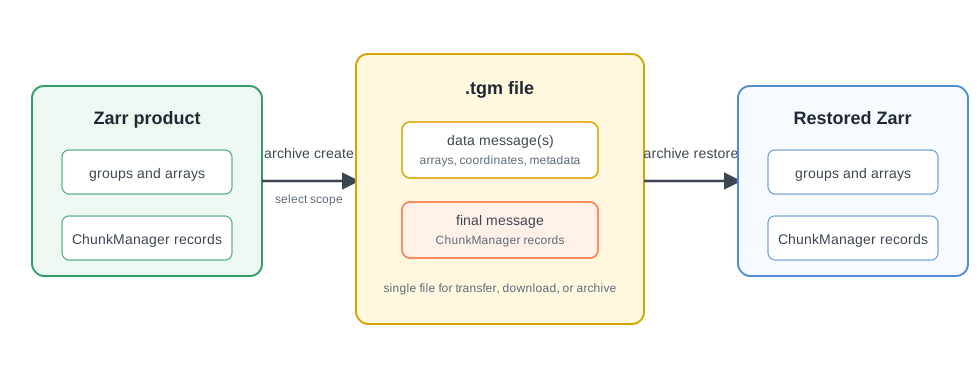
.tgm messages and stores ChunkManager records as the final message, so restore keeps the cube lifecycle inspectable.Tensogram And Zarr
Zarr is the normal layout for incremental writes and partial reads. Tensogram is the portable representation: it packages selected Zarr data into messages inside one file. Restoring the file recreates a Zarr product.
When Firecube packages one of its Zarr products, it also includes the associated ChunkManager records. A restored product therefore retains the run and coordination history needed by Firecube operations.
Open With Xarray
Consumers with tensogram-xarray installed can also open .tgm files through
Xarray:
Next Steps
- Archive Operations — create, inspect, validate, or restore
.tgmfiles - Zarr — understand the normal chunked product layout