Output Formats
Choose the output format from the product you want to build. Firecube uses
Zarr for multidimensional arrays, Parquet for tables, and Tensogram
to package Zarr products as .tgm files.
The output format is separate from storage. The same product shape can be written
to a local file:// target or an s3:// target by changing the ingest flags.
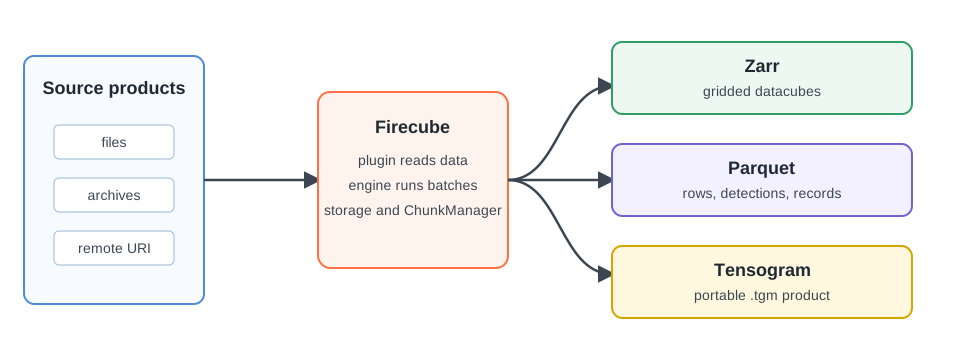
Choose By Product Shape
| Your product is | Use | Why |
|---|---|---|
| A multidimensional array product | Zarr | Readers can open subsets of a large array product without downloading everything. |
| Rows, detections, point observations, or feature records | Parquet | Each batch can write independent columnar files that downstream tools can filter efficiently. |
| A finished Zarr product that needs to move as one file | Tensogram | The product can be packaged as a .tgm file for transfer, download, or archival cold storage. |
If you are building a plugin, use the Plugin Development overview to choose the public class that produces the required format. The format pages here describe the persisted product, not the plugin implementation.
Next Steps
- Zarr — understand groups, arrays, and chunks
- Parquet — understand the dataset and part-file layout
- Tensogram — understand the portable
.tgmrepresentation - Create a Plugin — create a plugin after choosing the product shape
- Performance Tuning — tune chunking, sharding, compression, and batch size